The POS app built for phone repair shops

Create tickets, track repairs, and get paid — on iPhone and iPad. Simple to use, free to download, and built for phone repair shops.

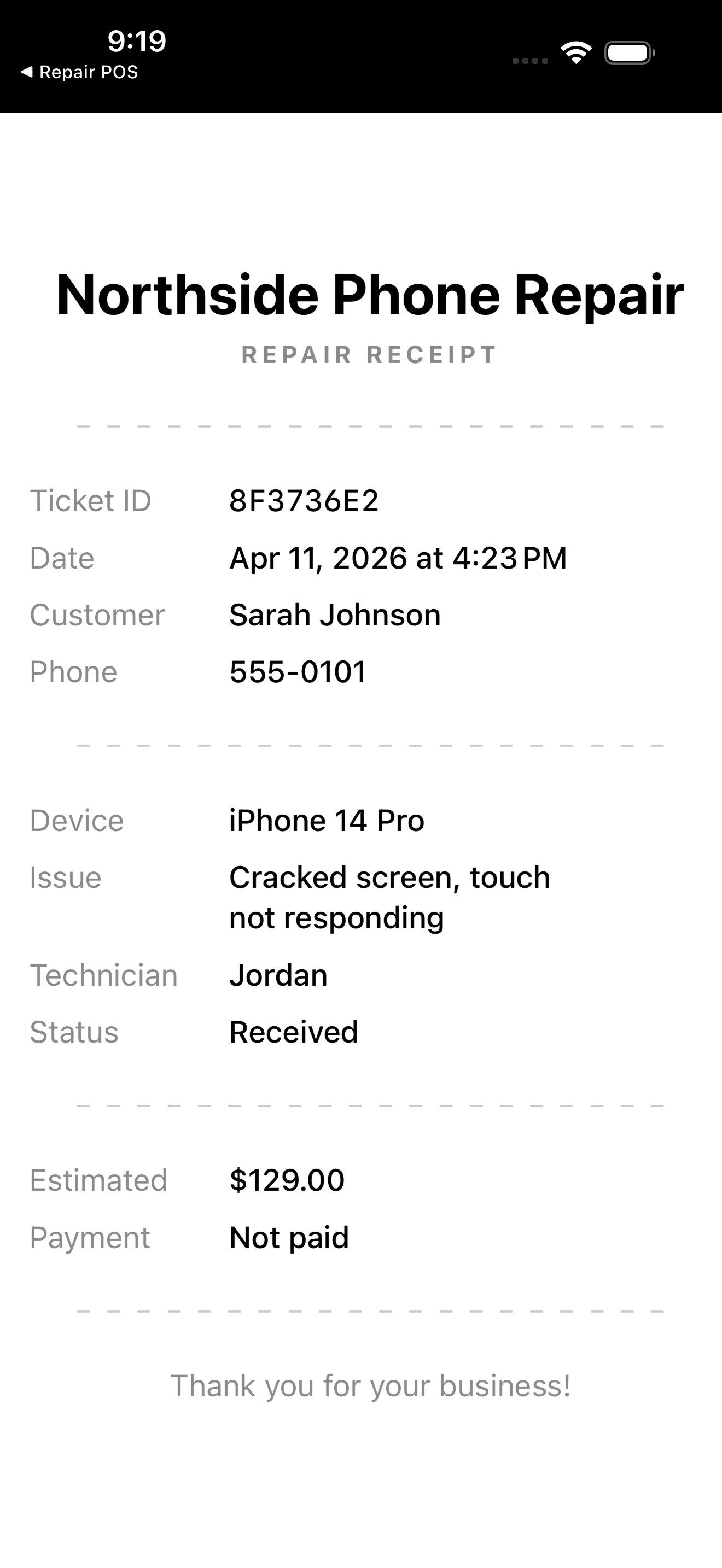
Coming Soon: Printable PDF Receipts

Printable PDF repair receipt with shop name, ticket ID, customer, device, issue, status, and estimated cost

Requested by a real shop owner. You asked, we're building it.

The next update adds one-tap PDF export for any ticket. Hand the customer a clean, branded repair receipt — with your shop name, ticket ID, device, issue, status, and estimated cost — ready to print from your iPad over AirPrint or share as a file.

What's Shipping

  • Branded receipts — Your shop name at the top, "Thank you for your business" at the bottom.
  • Every detail captured — Ticket ID, date, customer, device, issue, technician, status, estimate, and payment status on one page.
  • Print from the iPad — AirPrint support means any compatible wireless printer works out of the box. No extra setup.
  • Share as a file — Email, Messages, AirDrop, or save to Files — whatever fits your workflow.
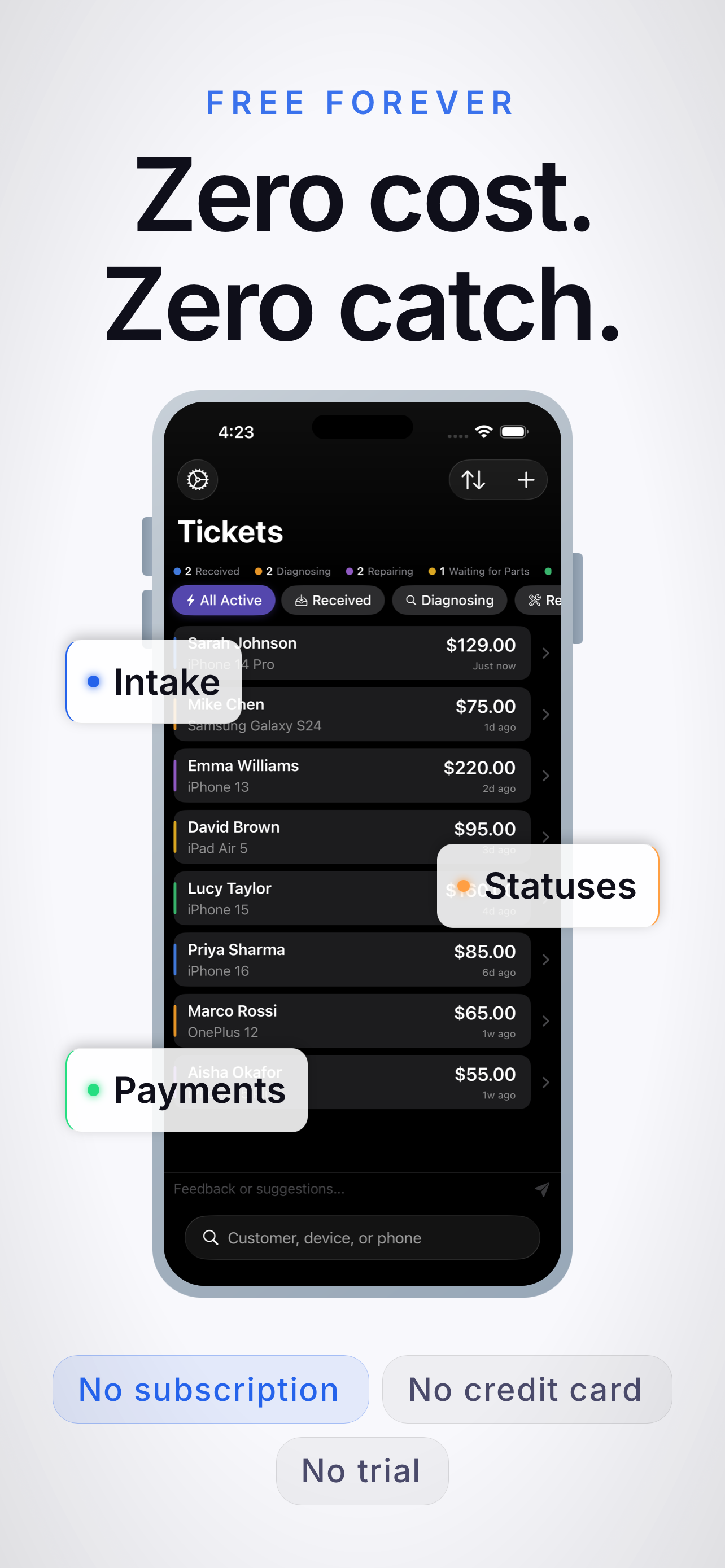
Zero cost, zero catch — free forever with no subscription, no credit card, no trial
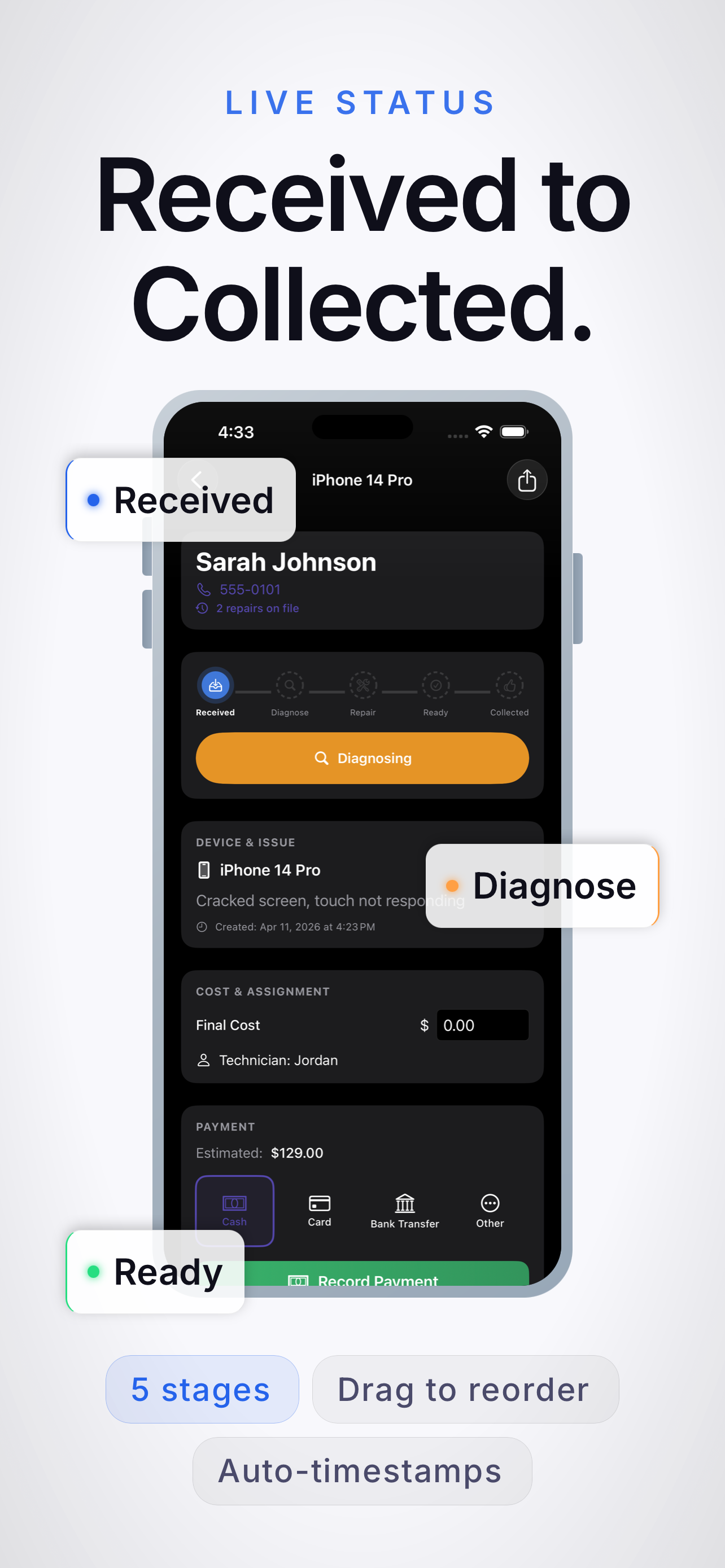
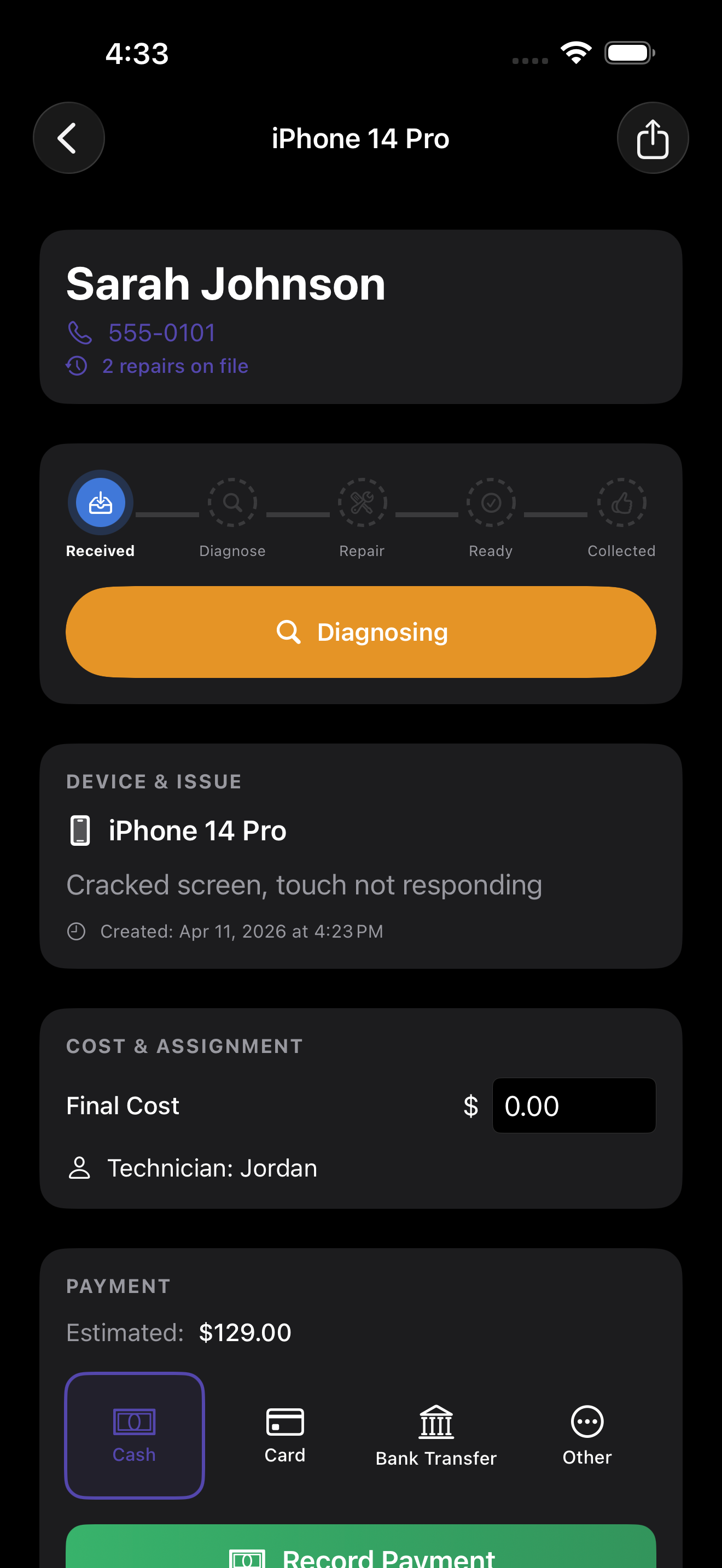
Live status tracking from received to collected across five repair stages
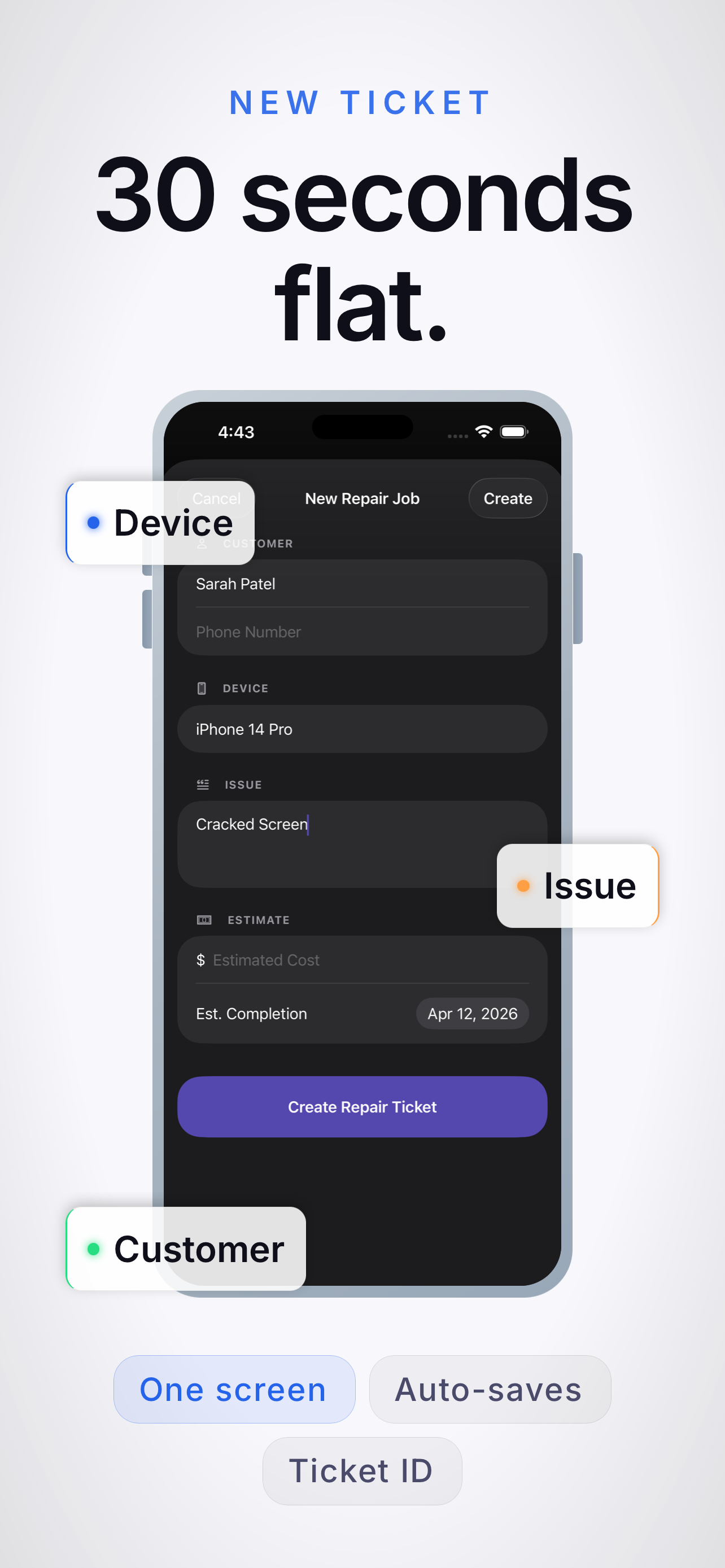
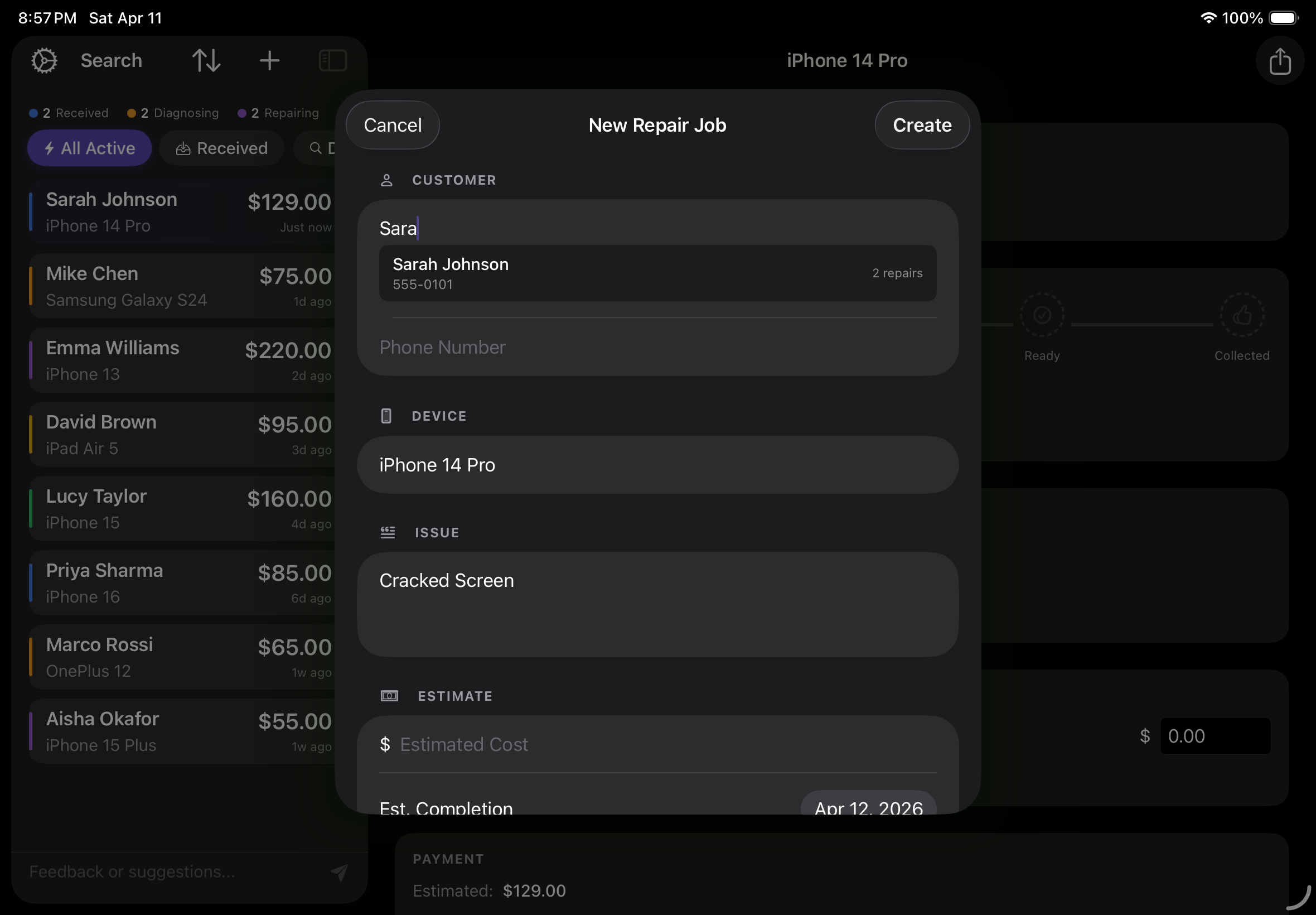
Create a new repair ticket in 30 seconds flat

A Quick Tour

Three screens. One free app. See exactly what PhoneRepairPOS does before you download.

At a Glance

  • Free forever — No subscription, no credit card, no trial. Download it and start managing repairs in minutes.
  • Live status tracking — Move every job through Received → Diagnose → Repair → Ready → Collected with auto-timestamps.
  • 30-second ticket intake — One screen. Customer, device, issue, estimate. Done before the next walk-in.
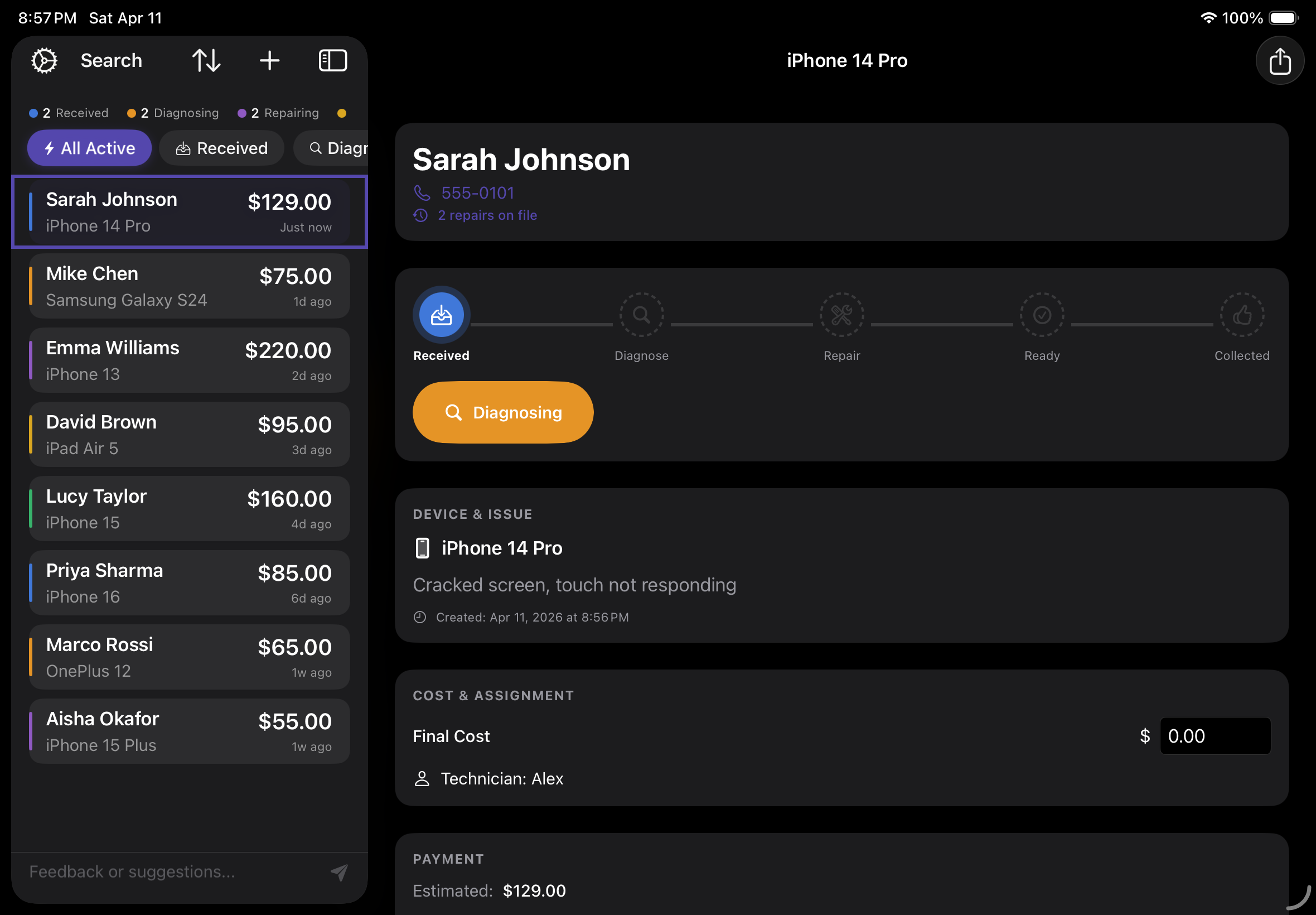
PhoneRepairPOS iPad dashboard showing active repair tickets

Everything Your Repair Shop Needs

Purpose-built tools that replace paper tickets, spreadsheets, and sticky notes.

Features

  • Quick Job Intake — Create repair tickets in seconds. Capture device info, customer details, and issue description in one streamlined flow.
  • Live Status Tracking — Track every repair through your workflow — from intake to diagnostics, repair, quality check, and pickup.
  • Integrated Payments — Record payments against jobs with support for card, cash, and split payments. Know exactly who has paid and who has not.
  • Customer Database — Build a customer history automatically. See past repairs, spending history, and contact info at a glance.
  • Search & Filter — Find any ticket instantly. Search by customer name, device, status, or date — never lose track of a job again.
  • Built for iPhone and iPad — A native app designed for speed. Use it on your counter with iPad or in your pocket with iPhone. Fast, responsive, and works offline.
Creating a new repair ticket in PhoneRepairPOS

How It Works

Three steps. Zero friction. Get up and running in minutes, not days.

Your Workflow

  • 1. Create a ticket — Customer walks in? Open a new job, log the device and issue, and hand them a ticket number. Done in under 30 seconds.
  • 2. Track the repair — Move jobs through your workflow stages. Add notes, update status, and keep your whole team on the same page. Stages include Received, Diagnosing, Repairing, Waiting for Parts, Ready for Collection, and Collected.
  • 3. Get paid — Mark the repair complete, record payment, and close the ticket. Customer walks out happy. Repeat.

Why Shops Switch

Ticket detail with status tracking and payment options

Built by repair shop people, for repair shop people. We know the chaos of a busy counter. PhoneRepairPOS was designed to tame it.

By the Numbers

  • Under 30 seconds average ticket creation time
  • 5+ workflow stages tracked per repair
  • 100% offline capable — no internet required
  • Free to download — no sign-up, no credit card, no trial period

Frequently Asked Questions

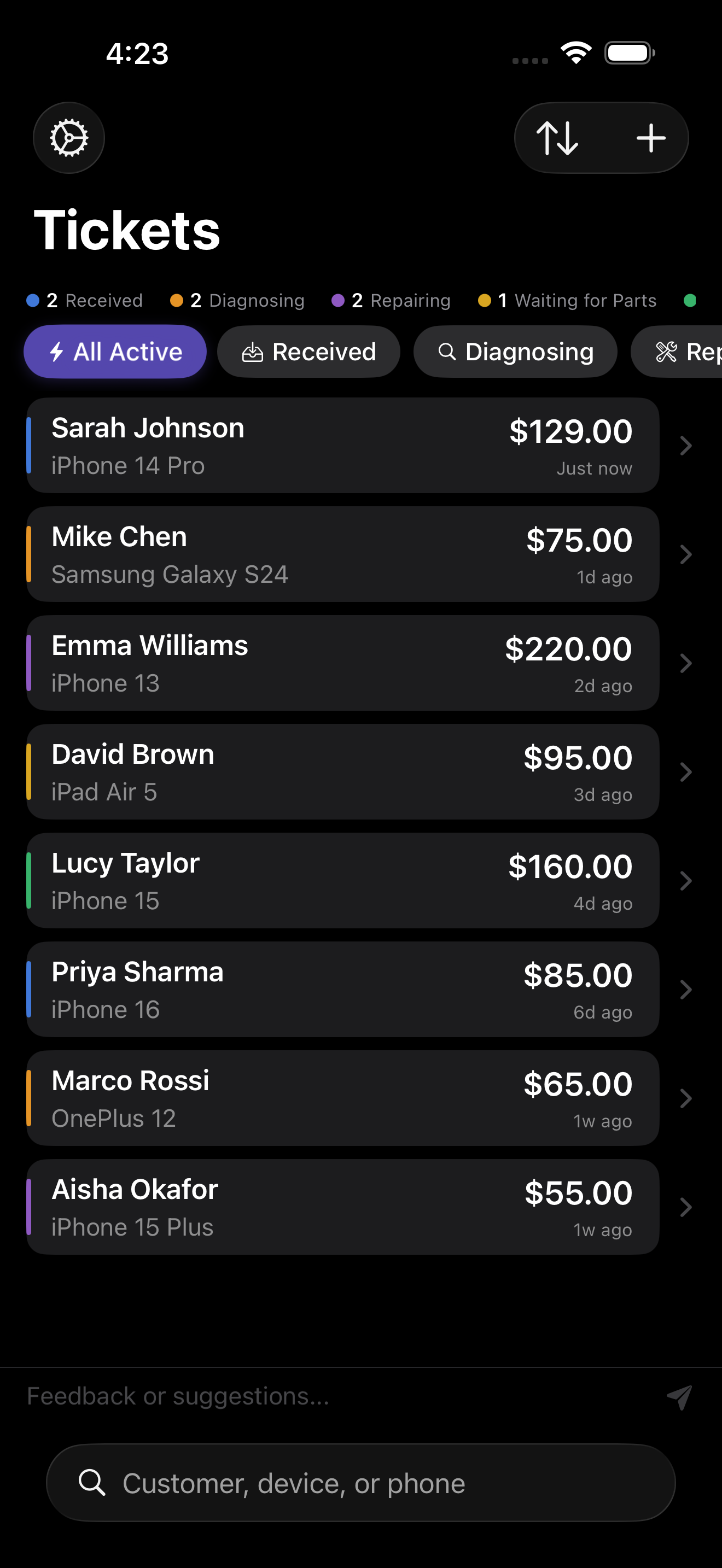
Ticket list showing active repairs

What is PhoneRepairPOS? PhoneRepairPOS is an app for iPhone and iPad that replaces paper tickets, spreadsheets, and sticky notes with a simple digital system for managing phone repairs. Create tickets, track repair status, record payments, and keep customer records — all from your pocket or counter.

Who is PhoneRepairPOS for? It is built for phone repair shop owners and technicians — whether you are a solo repairer working from a market stall or a multi-staff high street shop. If you fix phones and need a better way to manage jobs, it is for you.

Does it work offline? Yes. PhoneRepairPOS is 100% offline capable. All your data is stored locally on your device. No internet connection is required to create tickets, update statuses, or record payments. If you use iCloud, your data syncs across your devices when you are back online.

What devices does it support? PhoneRepairPOS runs on both iPhone and iPad. On iPad you get a full dashboard view designed for the counter. On iPhone you get the same features in your pocket — perfect for mobile repair techs or checking on jobs away from the shop.

How much does it cost? PhoneRepairPOS is free to download from the App Store. Download it and start using it straight away — no sign-up, no credit card, no trial period.

Is my customer data private and secure? Your data stays on your device. PhoneRepairPOS uses local storage (Core Data) and optionally iCloud for sync. There is no third-party server, no analytics tracking, and no one else has access to your customer records.

How do I get started? Download PhoneRepairPOS from the App Store, open it on your iPhone or iPad, and create your first ticket. There is no account to set up and no configuration needed. You will be managing repairs in under a minute.